
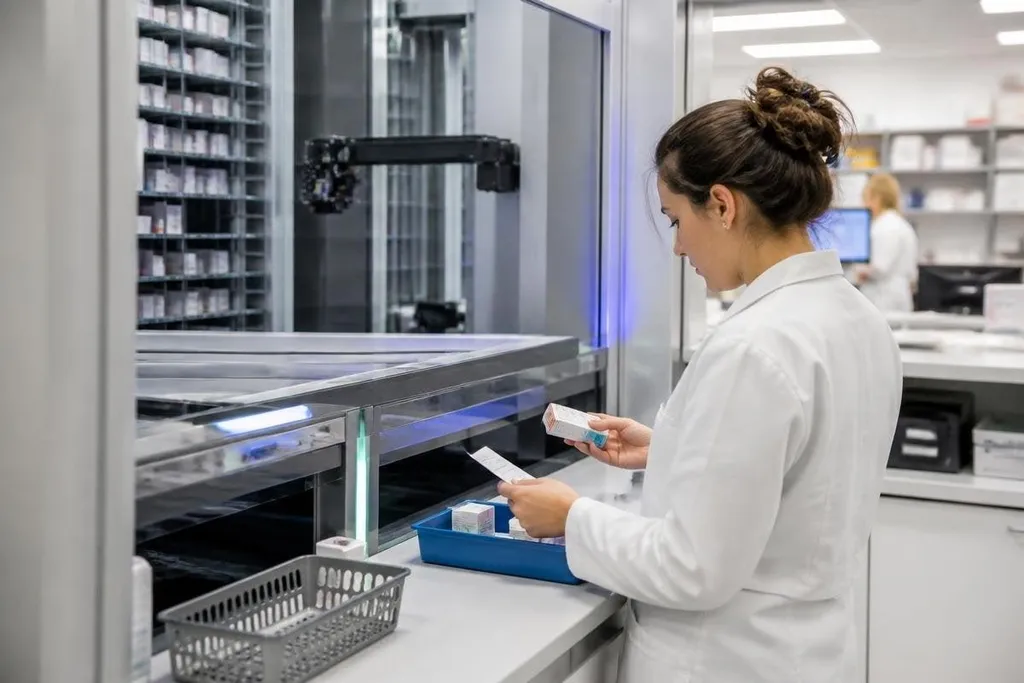
A pharmacy robot can store medicines, pick an order, and send it to a pharmacist for checking. That can remove repeated lifting and counting, but it doesn't remove the need for a person to verify the result.
- Robots handle repeated storage and picking tasks.
- Barcode and stock data must match the medicine in the bin.
- A clear manual process is still needed when software, power, or hardware fails.
Where pharmacy robots help
Most pharmacy robots work inside a controlled storage area. The system records where each medicine sits, retrieves the selected pack, and moves it to a collection point. Some systems also sort packs by patient, ward, or delivery route.
That changes the pharmacist's work. Instead of walking to many shelves for routine items, they can spend more time checking orders, speaking with patients, and dealing with prescriptions that need judgment. The robot handles movement; the pharmacist remains responsible for the medicine choice and final check.
Automated dispensing cabinets use a different setup. They place medicines near the point of care and restrict access through a user login, drawer, or barcode scan. This can make stock easier to count and show who removed a pack, though the record is only useful when staff follow the scan process every time.
Stock control is another practical gain. A pharmacy robot can show the recorded location of a pack and flag a low quantity in its database. That helps staff find missing stock sooner, but the database can drift from the shelves if a pack is removed by hand or placed in the wrong compartment.
A pharmacy team can compare a robot’s stock claims with its safety limits through Robot24.com pharmacy robotics reports, then ask what happens when a pack is misread or a person needs to step in.
Where the risks begin
A robot can pick the wrong medicine if the shelf location, barcode, or order data is wrong. Similar packaging raises the chance of a mix-up, especially when different strengths sit close together. A human check remains necessary because the robot can repeat a bad instruction without knowing that it is bad.
The physical system can also stop. A blocked chute, failed gripper, damaged barcode, or network fault may leave an order waiting inside the machine. Staff need a clear manual route for urgent prescriptions, plus a record of what the robot had already picked before the fault.
Temperature adds another limit. Some medicines need chilled storage, while others need protection from light or moisture. A storage robot must meet those conditions in the actual pharmacy, not only in its product sheet. Staff also need to know what happens to a medicine if the machine loses power or its door stays open.
Software links create another point of failure. The robot may connect to a pharmacy system, patient record, stock database, or payment system. A bad field match can send the wrong item, quantity, or patient detail to the picking step. Testing should cover these links with sample orders before live use.
The hardest problem may be overconfidence. If staff assume the machine is right, a quick check can become a rubber stamp. That weakens the safety barrier the robot was meant to support.
What a pharmacy should check before buying
A purchase decision needs more than a list of robot features. Use this checklist during site visits, software reviews, and staff training:
- Name the task: Write down the exact steps the robot will handle, from storage to handoff.
- Test wrong inputs: Run orders with similar names, different strengths, missing stock, and a damaged barcode.
- Check the handoff: Confirm who checks the pack, where that check happens, and how the record is saved.
- Plan downtime: Set a manual route for power loss, network failure, jams, and urgent orders.
- Inspect storage: Confirm temperature, light, access, cleaning, and pack-size limits for the medicines involved.
- Set review dates: Compare stock records, rejected picks, near misses, and repair calls after launch.
I'd choose a pharmacy robot only when the manual process remains clear, tested, and available. A machine that saves walking but leaves staff unsure during a fault creates a new problem beside the old one.
What happens after installation
The first weeks should test real work rather than a clean demonstration. Pharmacy managers can review rejected picks, stock mismatches, downtime, and manual overrides, then change the layout or training where the records show trouble.
The useful measure is not how quickly the robot moves one pack. It is whether the pharmacy can keep checking every order when the software is busy, a barcode fails, or the machine stops. That safety record should decide whether the robot gets a larger role.